You can view a customer’s complete payment history directly from their customer profile in Appointy.
This helps you review past transactions and check payment details associated with that customer.
How to view a customer’s payment history
Quick navigation
Customers → Select Customer → Payments
Steps to view payment history
- Log in to your Appointy admin account.
- Click Customers in the toolbar on the left.
- Select the customer whose payment history you want to review.
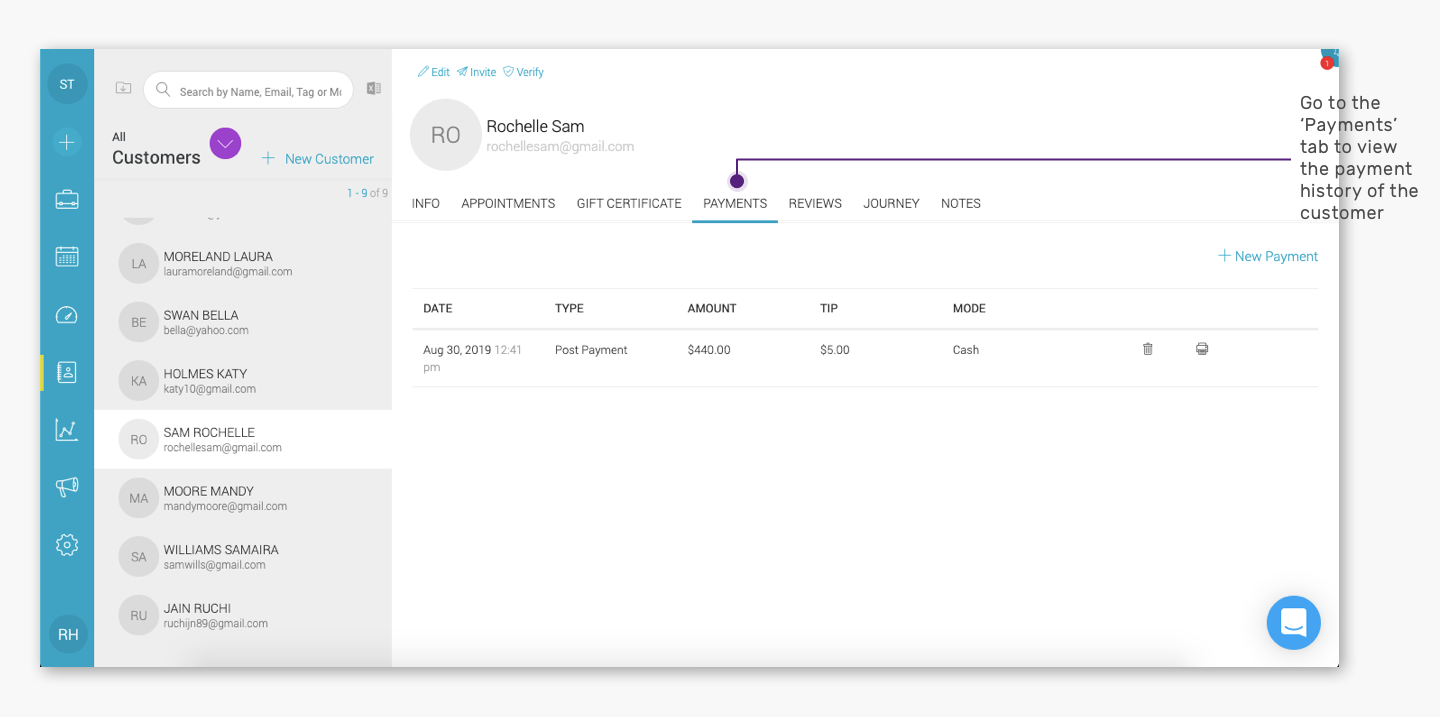
- Open the Payments tab in the customer details window.
- You will see the customer’s payment records.
What information can I see in a customer’s payment history?
The Payments tab shows payment records associated with the customer.
Depending on the transaction, the payment history can include details such as:
- Payment date
- Payment amount
- Payment type
- Payment method or mode
- Appointment-related payment records
This helps you review a customer’s payment activity without checking appointments one by one.
When should I use customer payment history?
You may want to review a customer’s payment history when:
- A customer asks about a previous payment
- You need to confirm whether a payment was recorded
- You are reviewing a customer’s past transactions
- You need to check payments associated with previous bookings
- You are resolving a billing or payment-related query
Is customer payment history the same as appointment payment history?
Not exactly.
The customer payment history gives you a customer-level view of their payment records.
An individual appointment can also have its own payment history, which is useful when you want to review payments, refunds, or transaction details for one specific booking.
Frequently Asked Questions
Where can I see a customer’s payment history in Appointy?
Go to Customers → Select Customer → Payments.
Can I see all payments made by one customer?
Yes. The Payments tab provides a consolidated view of payment records associated with that customer.
Can I check payments for a specific appointment?
Yes. Open the relevant appointment in the Appointy calendar and review its payment details.
Does payment history include payment methods?
The payment history can include payment information such as the payment mode or method, depending on the transaction record.
Can I use payment history to confirm whether a customer has paid?
Yes. You can review the customer’s payment records to check whether the relevant transaction has been recorded in Appointy.
Where can I see refunds?
For a specific refunded transaction, open the relevant appointment and review its payment history. Refund processing behavior depends on the payment gateway used.
.