If you use Appointy Enterprise with multiple business locations, the Admin of the parent account can view all locations linked to that account from one place.
This makes it easy to see which locations are connected, identify the parent account, and check which location account is currently active.
What does a location mean in Appointy?
In Appointy, a location is a separate business unit linked under the parent account.
Depending on your business, a location may represent:
- A salon or spa branch
- A clinic or healthcare office
- A gym or fitness studio
- A school, campus, or training center
- A consulting office
- A retail or service branch
- Any other separately managed business location
Each location is managed as its own account while remaining connected to the parent Enterprise account.
How to view all locations
Quick navigation
Settings → Locations
Steps to view your locations
- Log in to your Appointy parent admin account.
- Click Settings in the toolbar on the left.
- Under Resource Management, click Locations.
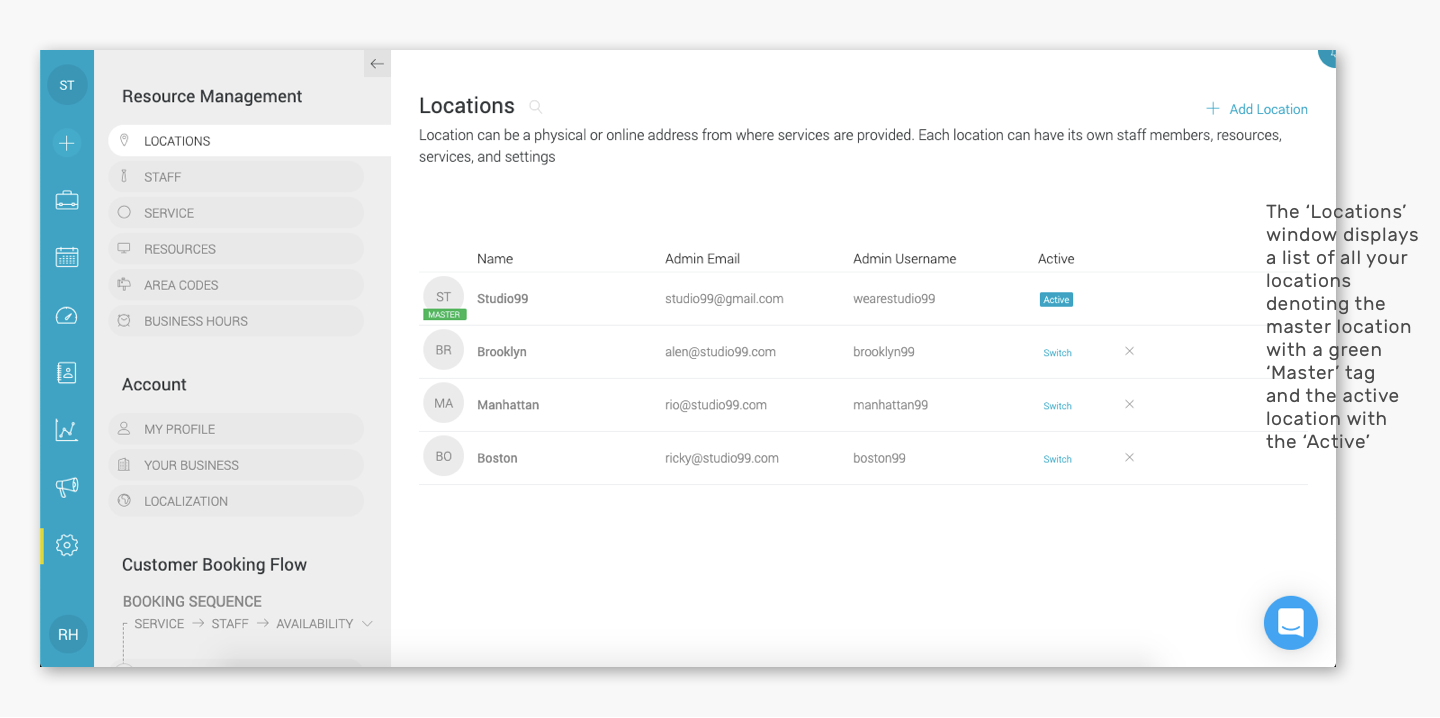
- The Locations window will open with a list of all locations linked to the parent account.
How can I identify the parent account?
The parent account location is marked with a Master tag next to its name.
This helps you distinguish the main parent account from the linked child locations.
How can I see which location is currently active?
The location account you are currently viewing is marked with a blue Active tag.
This makes it easier to confirm which location you are currently accessing before reviewing or managing its information.
What can I do from the Locations page?
From the Locations section, you can review the locations linked to the parent account and access location-management actions such as:
- Switching to another linked location
- Adding a new location
- Unlinking a location
- Identifying the parent location
- Checking which location is currently active
The exact options available depend on your account and location setup.
Frequently Asked Questions
Where can I see all my Appointy locations?
Go to Settings → Locations from the parent Appointy account.
What does the Master tag mean?
The Master tag identifies the parent account location.
What does the Active tag mean?
The blue Active tag identifies the location account you are currently viewing.
Can I view all linked locations from the parent account?
Yes. The parent Admin can view the list of all locations currently linked to the Enterprise parent account.
Can I switch to another location from this page?
Yes. You can use the available Switch option for a linked location to access it from the parent account.
Will an unlinked location appear in this list?
No. Once a location is unlinked from the parent account, it is no longer part of the linked location list. It can be linked back again later.