Add-ons let you offer optional extras that customers can select while booking a service.
An add-on can be an additional product or service, such as:
- Premium material
- Extra equipment
- Gift wrapping
- Aromatherapy oil
- Additional treatment
- Priority service
Add-ons can help you increase the value of a booking without creating a separate standalone service.
Important: Add-ons do not increase the duration of the main service.
Quick navigation
Settings → Add-ons → Add Add-on → Enter Details → Assign Services → Add → Save Changes
How to create an add-on
Step 1: Open Add-on settings
- Log in to your Appointy admin account.
- Go to Settings.
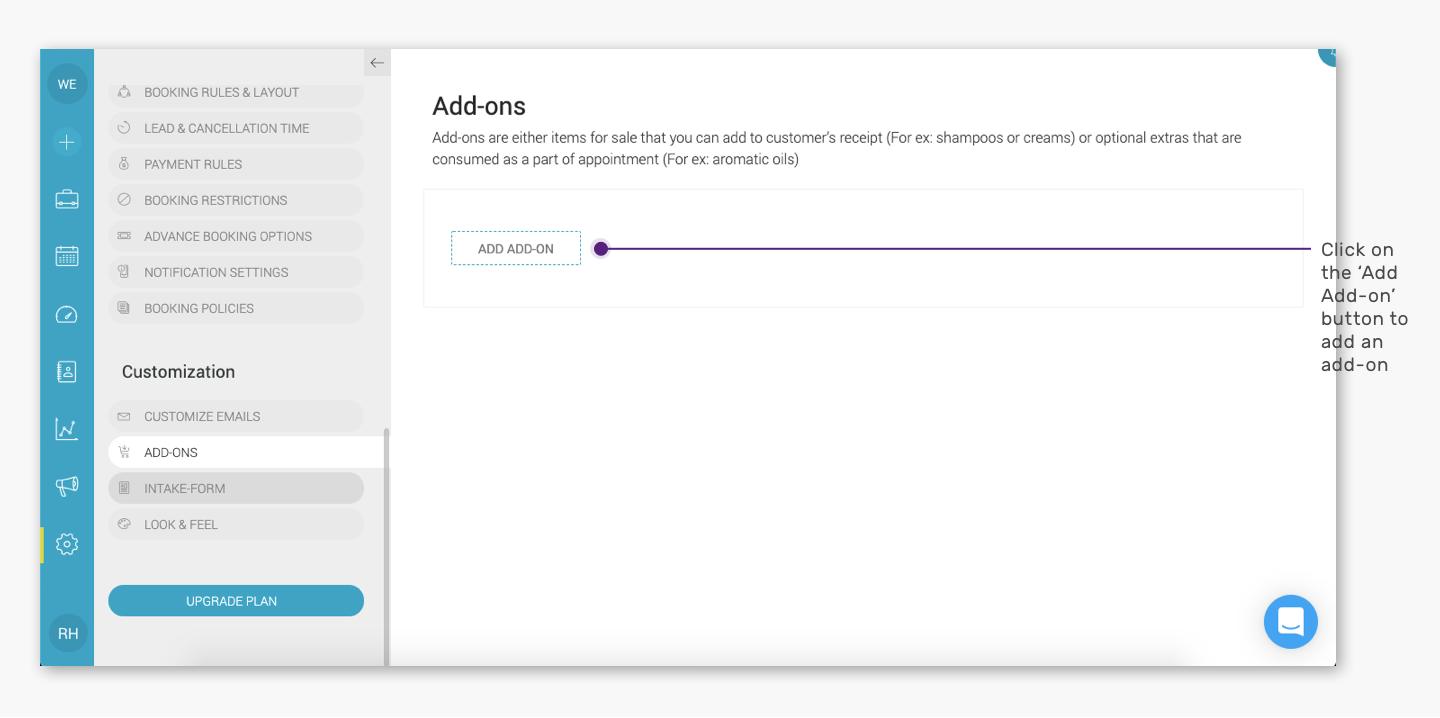
- Under Customization, open Add-ons.
Step 2: Create a new add-on
Click Add Add-on.
.
.
The New Add-on panel will open.
Step 3: Enter the add-on details
Enter the required information for the add-on.
Depending on the available fields, this can include:
- Add-on name
- Description
- Price
Use a clear name so customers can easily understand what they are selecting.
For example:
Aromatherapy Oil — $10
Step 4: Assign the add-on to services
Select the service or services where the add-on should be available.
For example:
Aromatherapy Oil may be assigned to:
- Swedish Massage
- Deep Tissue Massage
- Sports Massage
The same add-on can therefore be offered with multiple services.
.
.
Step 5: Save the add-on
Click Add in the New Add-on panel.
Then click Save Changes in the Add-ons window.
The add-on will now be available with the services you selected.
Example
Suppose you offer a 60-minute Massage for $100.
You create these optional add-ons:
- Aromatherapy Oil — $10
- Hot Towel — $5
- Premium Oil — $15
A customer can select one of these extras while booking.
However, the base massage duration remains 60 minutes.
The add-ons change the booking options or value, but they do not add extra service time.
Assign one add-on to multiple services
You do not need to create the same add-on separately for every service.
For example, Premium Material can be created once and assigned to several relevant services.
This keeps your add-on setup easier to manage.
When should you use an add-on instead of creating another service?
Use an add-on when the option is:
- Optional
- Purchased together with the main service
- Not intended to be booked independently
- Not supposed to increase the base service duration
Create a separate service when the offering needs its own booking duration, availability, or appointment slot.
Frequently Asked Questions
What is an add-on?
An add-on is an optional product or service that a customer can select along with the main service.
Can one add-on be assigned to multiple services?
Yes. Select all relevant services while creating or editing the add-on.
Can I add a price to an add-on?
Yes. You can configure pricing for the add-on.
Does an add-on increase the service duration?
No. Add-ons do not add time to the main service duration.
Can customers book an add-on without a service?
Add-ons are designed to be selected along with the services to which they are assigned.
Can I edit an add-on later?
Yes. You can update its details, pricing, and service assignments later.
Can I remove an add-on from one service without deleting it?
Yes. Edit the add-on and deselect only the relevant service.