The My Space area in Appointy lets you quickly filter upcoming appointments so you can focus on the bookings most relevant to you.
You can filter appointments by criteria such as:
- Appointment type
- Customer arrival status
- Service
- Staff member
You can also apply more than one filter at the same time.
Quick navigation
My Space → Filter → Select Appointment Filters
How to apply appointment filters
Step 1: Open My Space
- Log in to your Appointy admin account.
- Open My Space from the left-side navigation.
Step 2: Open the appointment filters
At the top of the Appointments Quick View area, click Filter.
.
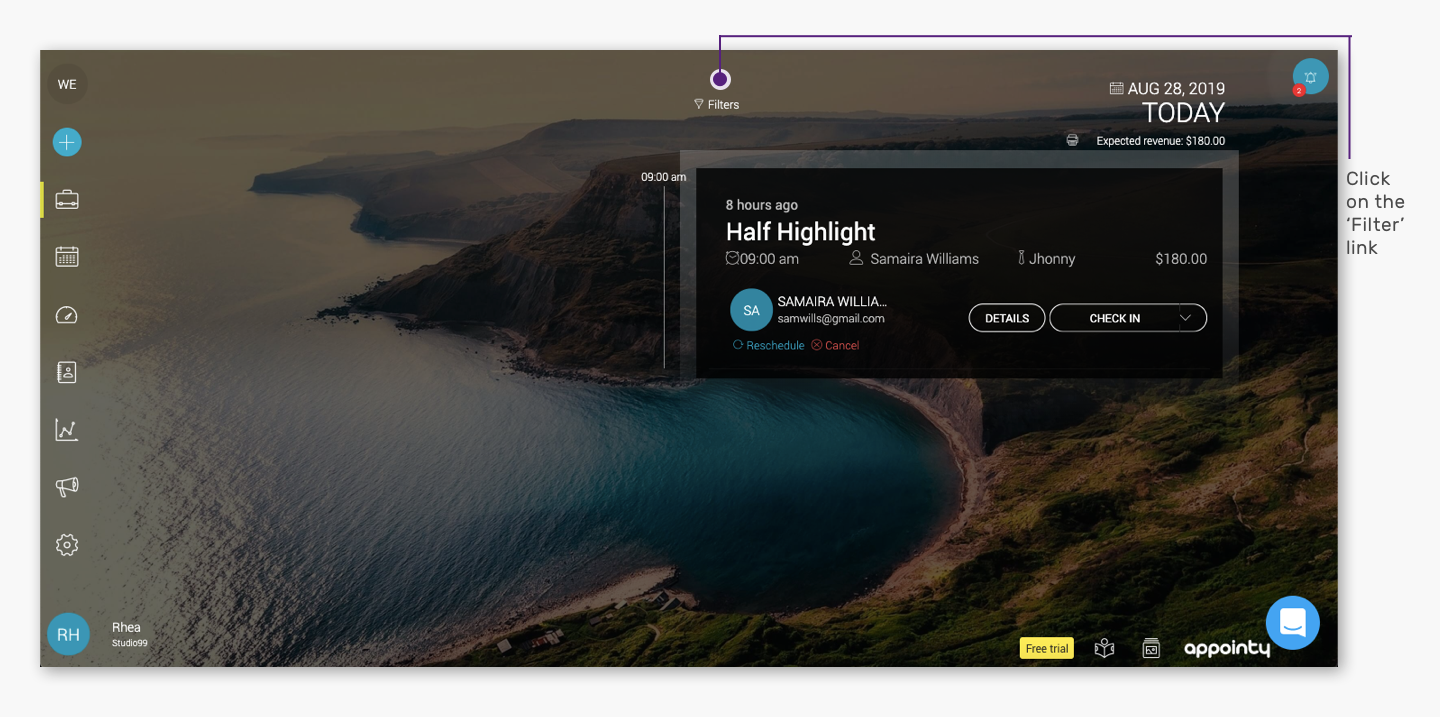
.
Step 3: Select your filter criteria
The Filter Appointments panel will open on the right.
Choose the criteria you want to use.
You can filter appointments based on:
- Appointment type
- Arrival status
- Service
- Staff member
.
Once selected, the appointment list will update to show matching results.
Apply multiple filters together
You can combine more than one filter to narrow the results further.
For example, you could filter by:
Service: Swedish Massage
Staff: Alex
Arrival Status: Checked In
This helps you quickly isolate a specific set of appointments from the upcoming schedule.
Why use appointment filters?
Appointment filters are useful when you want to:
- Review bookings for one staff member
- Focus on a particular service
- Check customers by arrival status
- Review a specific appointment type
- Narrow down a busy appointment list
- Combine multiple conditions for a more precise view
Frequently Asked Questions
Where can I find appointment filters?
Go to My Space and click Filter above the Appointments Quick View area.
Can I filter appointments by staff?
Yes. You can select a staff member as one of the filter conditions.
Can I filter appointments by service?
Yes. Select the required service in the Filter Appointments panel.
Can I filter by customer arrival status?
Yes. Arrival status is one of the available filter options.
Can I apply more than one filter?
Yes. Multiple filters can be used together to narrow the appointment results.
Do filters change the appointments themselves?
No. Filters only change which appointments are displayed in the My Space view.